Generator
Graffiti Generator Workflow: Prompt Debugging Playbook
A practical support playbook for /generate: fix weak outputs, iterate one variable at a time, and get cleaner results with fewer wasted attempts.
Published Feb 28, 2026 · Updated Mar 10, 2026 · 9 min read · By SprayShift Editorial
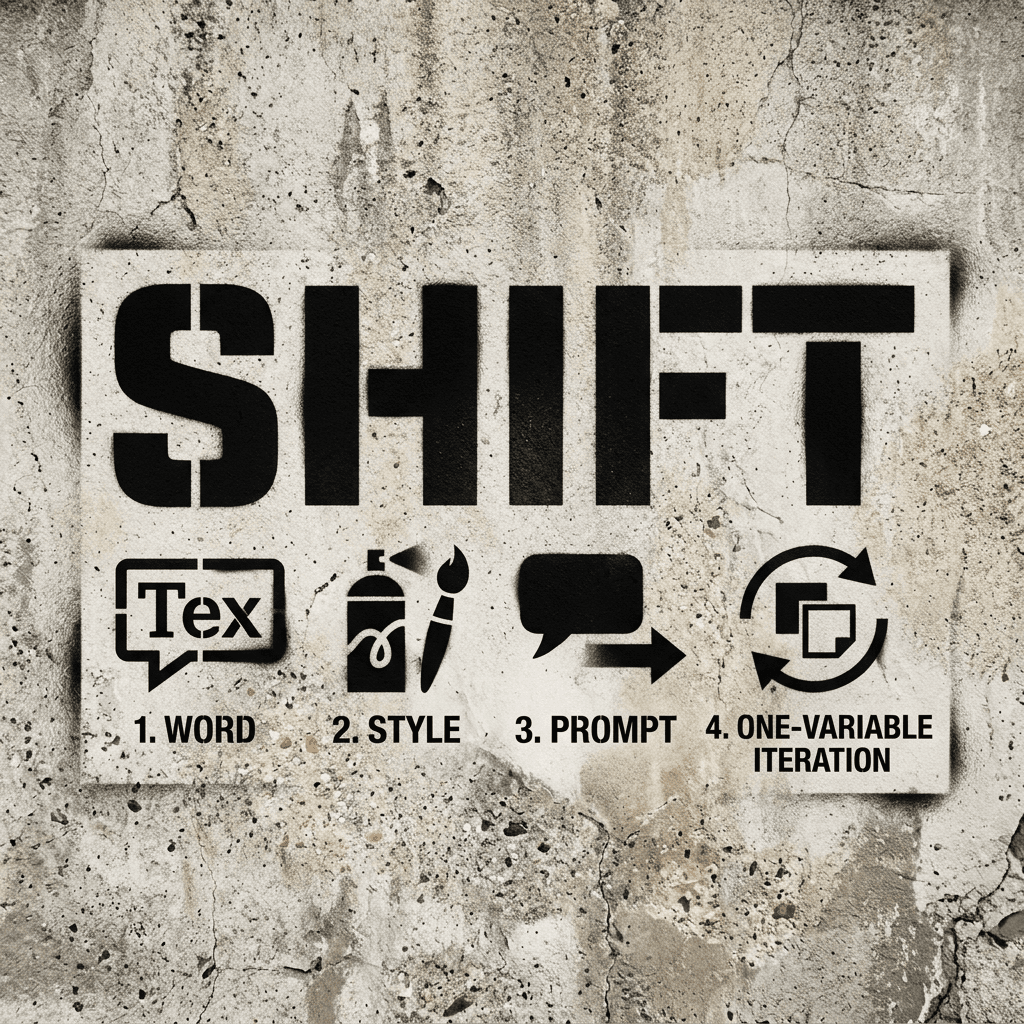
Quick Answer
Use a fixed debugging loop in /generate: pick one short word, lock one style preset, write one specific prompt, then change one variable per run. This gives you clear signal on what improved readability and contrast, avoids random prompt churn, and protects your monthly generation budget.
Who This Is For
Users who already generate in /generate and want a repeatable way to improve output quality without burning through monthly attempts.
Table of Contents
- Use this 4-step loop instead of random prompting
- Use /generate for output, use this guide for diagnosis
- Use a prompt blueprint with concrete wording
- Worked example: clean tag output in one pass
- Failed example: too much complexity in one prompt
- Real run log: one-session fix from weak to usable
- Common mistakes and fast fixes
- When this workflow is the wrong fit
Use this 4-step loop instead of random prompting
Most bad outputs happen when everything changes at once. Lock your process: one word, one style, one prompt structure, then one controlled tweak.
When you only change one variable per run, you can see exactly what improved the result and what made it worse.
- Pick a short target word (1-3 words max).
- Choose one style preset that matches your goal (readable vs complex).
- Set output ratio before you generate (16:9, 1:1, or 9:16).
- Generate once, then change only one thing for the next run.
Use /generate for output, use this guide for diagnosis
This article is a support layer for the product page, not a replacement for it. Use /generate to run the attempt, then return here to diagnose what changed when a result misses.
Treat each run as a small test cycle. The generator is where execution happens; this guide is where you decide what variable to change next.
- Open /generate when you are ready to run a new attempt
- Return to this guide when output quality drops or drifts
- Change one variable per run so your comparison is reliable
- Keep a prompt baseline and update it only after a clear win
Use a prompt blueprint with concrete wording
Avoid vague prompts like "make it cool." Use a fixed prompt order: word, letter structure, line quality, color direction, and background constraint.
This structure gives the model fewer chances to drift and helps you debug outputs faster.
| Prompt block | Example phrasing | Why it matters |
|---|---|---|
| Word | Word "SHIFT" only | Short targets keep letter flow cleaner |
| Structure | Readable tag letters, medium thickness | Sets base geometry |
| Color | Neon green fill, clean white outline | Prevents muddy palettes |
| Background | Dark concrete wall, low texture clutter | Keeps contrast high |
| Constraint | High contrast, crisp edges | Improves legibility |
Next Step
Run a Controlled Tag Test in /generate
Use one short word and one style preset first, then iterate one setting at a time.
Worked example: clean tag output in one pass
This run worked because the prompt stayed specific and restrained: one word, one style, one palette, one background.
The letters remain readable at small size, and contrast stays strong against the darker backdrop.
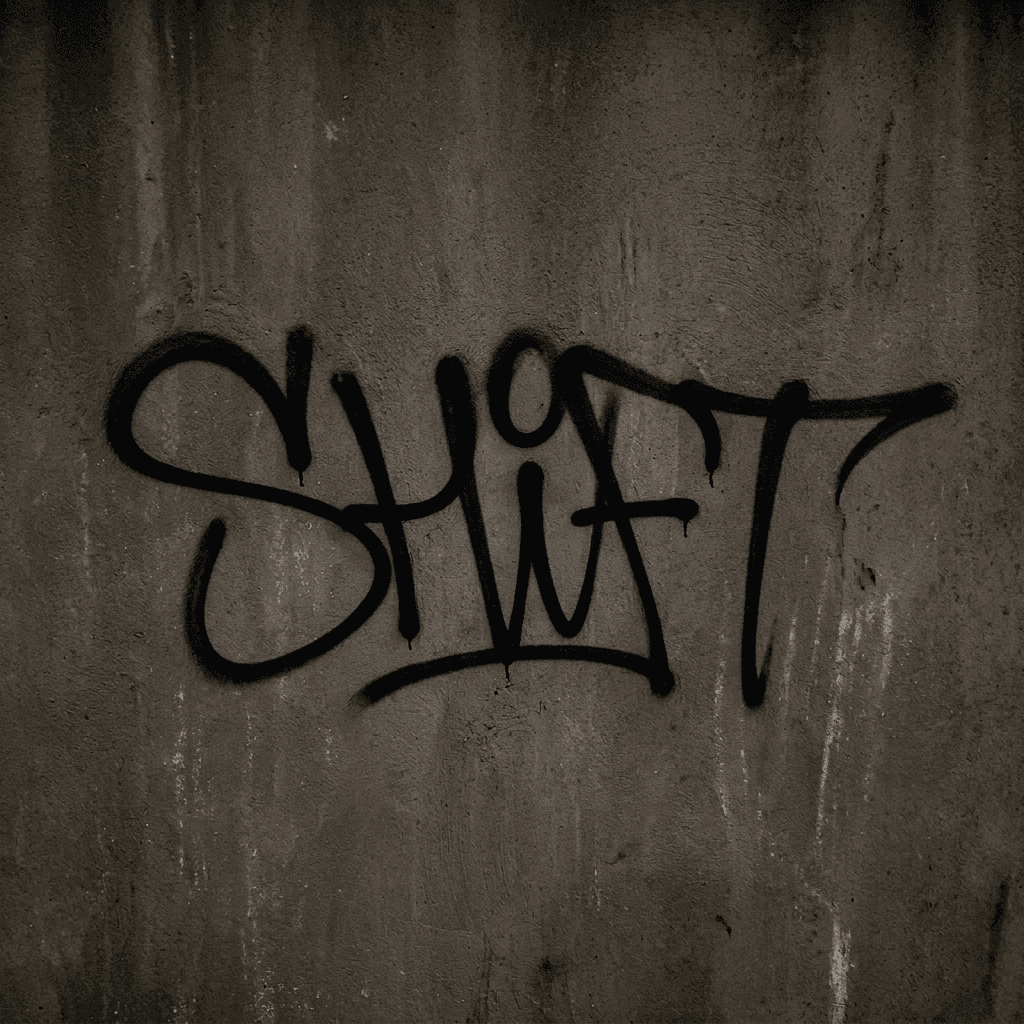
Tag-style example with strong readability and controlled color contrast.
Failed example: too much complexity in one prompt
This run failed because the prompt pushed dense complexity in one pass: interlocks, arrows, and layered forms that reduced letter recognition.
Wildstyle itself is not the problem. The miss came from stacking advanced moves before a readable base was stable, which makes it hard to tell which adjustment actually helped.
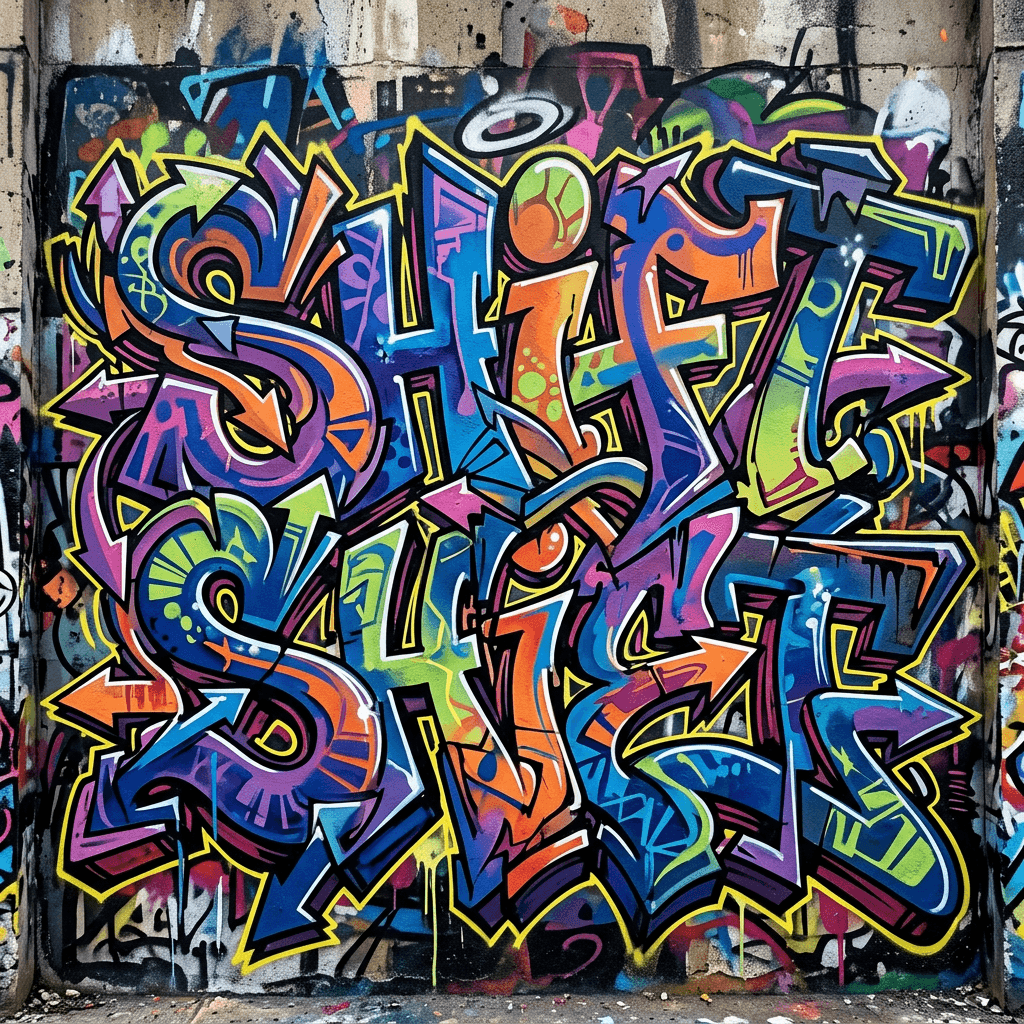
Premature-complexity example where interlocks and layered forms overpower letter clarity.
Real run log: one-session fix from weak to usable
Use this exact progression when a result misses. Keep the word and style stable, then change one variable and score readability at thumbnail size.
The goal is not a perfect final in one attempt. The goal is to get reliable signal so your next change is obvious.
- Log one sentence per run: what changed and what improved
- Do not change style preset until readability is stable
- Keep the best run as your baseline before testing advanced variants
| Run | Single change | Observed result | Next decision |
|---|---|---|---|
| Run 1 | Baseline tag prompt | Readable letters, weak edge contrast | Keep structure, improve contrast only |
| Run 2 | Added clean white outline | Legibility improved, color still flat | Keep outline, change fill palette only |
| Run 3 | Shifted fill to neon green | Readability held and pop improved | Save as new baseline prompt |
Common mistakes and fast fixes
If your output keeps missing, debug in this order: readability, contrast, then style complexity.
Most users reverse that order and spend attempts polishing visuals before basic letter structure is stable.
- Unreadable letters: simplify to one word and reduce effects
- Weak contrast: set a dark background plus bright outline
- Flat composition: request centered or full-bleed framing
- Style mismatch: switch preset before rewriting the whole prompt
When this workflow is the wrong fit
This workflow is best for readable text outputs. It is not the best approach for character-heavy murals or abstract concept art where composition matters more than lettering clarity.
If your goal is an expressive wall scene, start with composition and subject prompts first, then add text styling later.
- Good fit: logos, usernames, title cards, and social headers
- Weak fit: story-driven murals with multiple characters
- Weak fit: abstract textures where text legibility is not required
FAQ
How many words should I use in a graffiti generator prompt?
Should I choose style preset before writing details?
What should I change first if my output looks muddy?
How do I know a generation attempt actually improved?
Related Reads and Next Actions
Next Step
Ready to Apply This in a Real Generation?
Apply this workflow to one new word now, then keep your best prompt as a baseline. If you are iterating daily, compare plans to avoid hitting your monthly cap mid-practice.